Slipstream Runner
A voice coach for every run. Set a target pace or cadence and Slipstream Runner tells you when you drift, so you can hold your rhythm without looking at your phone.
Free to start · Pro is a one-time purchase
Set it, pocket it, run
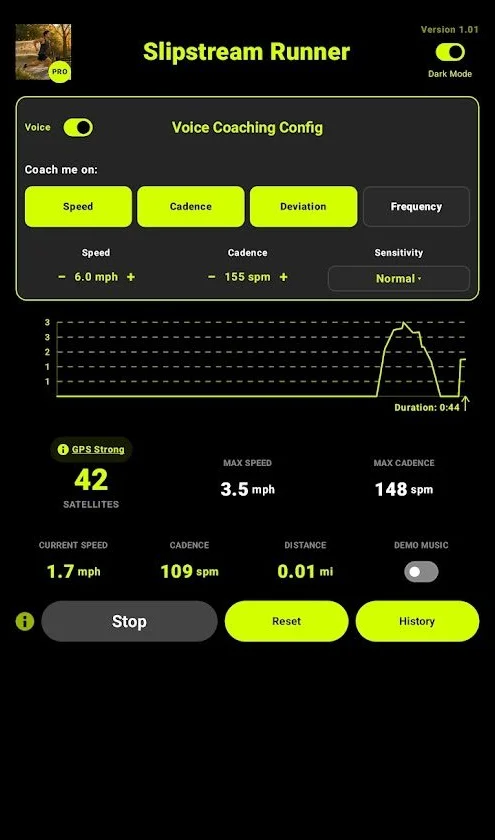
Choose what to coach
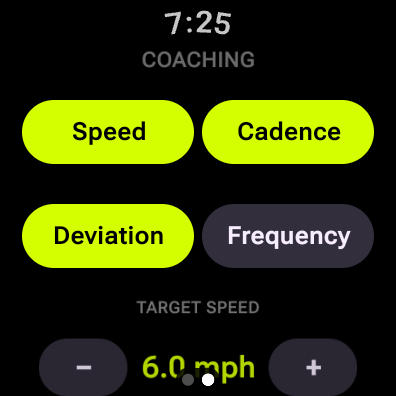
Speed, cadence or both. Your coach voices only what you pick.
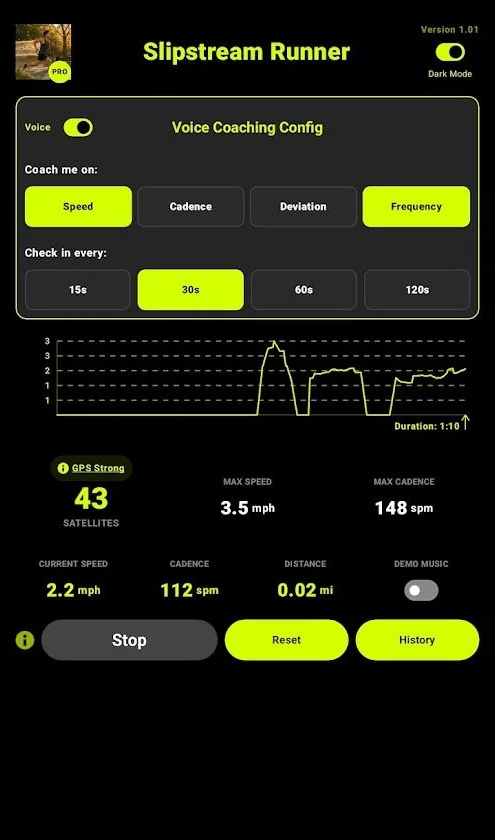
Pick a coaching style
Deviation speaks up only when you drift off your target. Frequency calls out your numbers every 15, 30, 60 or 120 seconds, or continuously.
Run
Press Start Session and go. Your speed, cadence and distance are tracked live and saved when you finish.
Inside the app
Your coach on your wrist
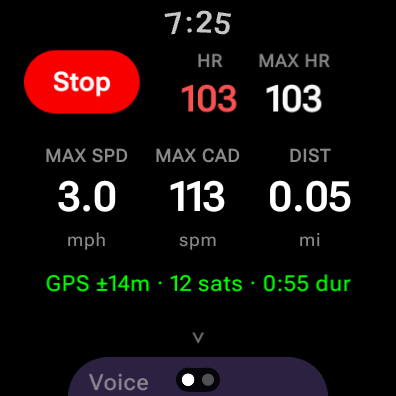
Run with just your watch. It tracks the whole run on its own GPS, coaches you as you go, and every run lands in your phone’s History when you’re done.
- Max speed, max cadence and distance at a glance, with live GPS status and duration
- Heart rate and max heart rate during the run, then as a graph in your phone’s History
- Voice coaching on the watch, or through your phone’s headphones when the phone app is open nearby
- Change your coaching on the watch when your phone isn’t with you. Changes sync both ways, and the newest one wins.
- Indoor mode for treadmills and indoor tracks, using steps instead of GPS
For Wear OS 3 or later. Install it from the same Google Play listing, on the watch or from your phone. Heart rate, voice coaching and Indoor mode are part of Pro.
A coach that only talks when it matters
Target coaching
Set a target speed or cadence. Sensitivity decides how far you can drift before your coach speaks: Tight speaks up sooner, Loose gives you more room.
Check-in coaching
Prefer regular updates? Hear your current speed or cadence on a timer, from back-to-back readouts to every two minutes.
Cadence coaching
Keep your steps per minute steady. It’s one of the simplest ways to run more efficiently.
Live speed, cadence and distance
All your key numbers on one screen, updated in real time, with a graph of the whole session.
Run history
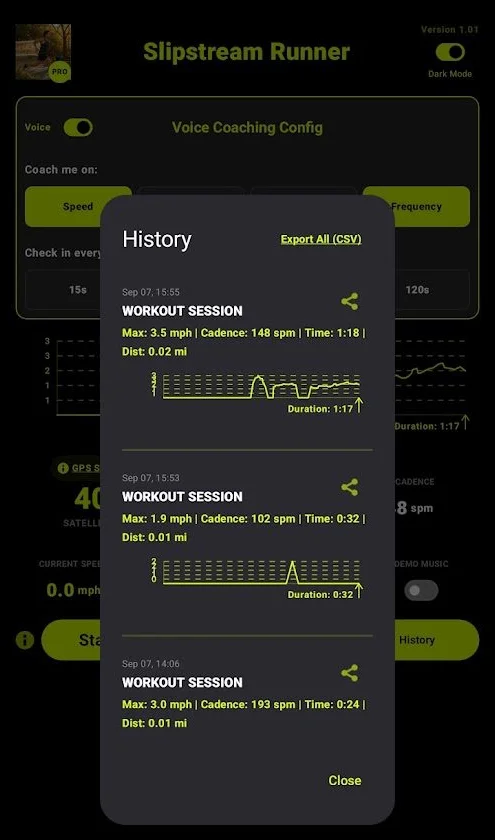
Every run is saved with its stats and speed graph. Share a run, or export all of them to CSV.
GPS you can trust
Filtering smooths out GPS glitches. A diagnostics view shows satellites, update rate and accuracy.
Watch Slipstream Runner
A short look at voice coaching on the move.
The video plays from YouTube and loads only when you press play.
Pay once. Own it forever.
Free
No cost, no time limit.
- Unlimited sessions
- Live speed, cadence and distance
- Session graph
- Voice coaching on speed, every 30 seconds
- GPS diagnostics, Compact and Dark Mode
- History of your 3 most recent runs
- Wear OS watch app: runs with max speed, cadence and distance
Pro One-time purchase
Pay once. No subscription, no renewals.
- Flexible voice cadence coaching
- Constant speed voicing option
- Target Coaching: hear when you drift off pace
- Unlimited training history
- Export all data to CSV
- On the watch: heart rate, voice coaching, coaching settings and Indoor mode
The price is shown in the app and in your store, in your local currency. Every run is saved even on the free plan, so your full history appears as soon as you upgrade. Pro on your Google account unlocks the watch app too.
Get Slipstream Runner
Free to download on Android and iPhone. The Wear OS watch app comes from the same Google Play listing.